🧩
Words become sound tiles
Every word is split into the sounds you actually hear, not just letters. Tap a tile to hear that piece, join tiles to blend them, then say the whole word.
APPLE
TinyViora breaks every word into colourful sound tiles. Your child hears each piece, sees how the mouth makes it, says it, and then joins it back together. Five calm minutes a day, with you beside them.

When a child can't say a word, telling them to "just say it again" doesn't help. They need to hear the pieces, see the mouth, and try one small part at a time.
"Apple" is four sounds at once. Children who struggle hear one blur and give up.
Most apps read words at adult speed in a flat voice. Slowing them down makes them sound strange.
Where does the tongue go for L? For TH? Parents want to help but no one shows them how.
Not flashcards with a play button. Every part of the app is designed so a child can succeed one small sound at a time.
Every word is split into the sounds you actually hear, not just letters. Tap a tile to hear that piece, join tiles to blend them, then say the whole word.
Five speeds, from normal down to really slow. Slow sounds are spoken slowly from the start, not stretched, so they stay clear and natural.
An illustrated guide for every letter: where the tongue goes, what the lips do, three simple steps, and a tip for when it's hard.
Every child is different. Parents and therapists can cut a word their own way, like FO | UR or F | OUR, and TinyViora makes the new sounds for them.
Add the words that matter at home: names, family, favourite foods, "pick up", "thank you". Practice feels real because it is real.
Switch a child's language and the whole app follows: the letters, the sounds and the practice charts made for that language.
Watch a real practice session: choosing a word, tapping the tiles, slowing it down, and celebrating "Said it!".
We're recording a real session to show you.
No long sessions, no setting up. Little moments add up to big words.
Open the letter guide, look at the mouth together and play the sound. Try it three times.
Use the ABC board to play a few letters in a row. Your child says them back.
Pick today's word, tap each tile, slow it down, then join it into the whole word.
Look at today's progress together. Every "Said it!" earns a star.
These are the same sounds, word tiles and letter guides as in the app. Turn your sound on.
| Flashcards | Typical apps | TinyViora | |
|---|---|---|---|
| Breaks words into sounds | No | Sometimes, letter by letter | ✓ Sound tiles you can tap and join |
| Slows down clearly | No sound | Stretched robot voice | ✓ 5 speeds, spoken slowly, never stretched |
| Shows the mouth | No | Rarely | ✓ Illustrated guide for every letter |
| Your own words | Write your own | Fixed word lists | ✓ Add any word or phrase, split your way |
| Grown-ups work together | No | One account | ✓ Parents, teachers & therapists, when you choose |
| Distractions | None | Ads, timers, pop-ups | ✓ Calm, no ads |
A therapist can record a "how to say it" video, a teacher can add classroom words, and a parent practises at home, all on the same plan, when the parent chooses to share.
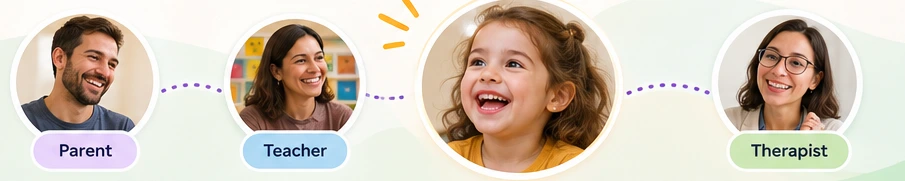
Young children learning to speak clearly, and the adults helping them: parents at home, teachers in class and speech therapists between sessions.
No. TinyViora is for practice. If a sound stays hard, please talk to a speech therapist. Therapists can use it to give families practice between sessions.
TinyViora supports multiple languages. Switch a child's language in their profile and the letters, sounds and practice change with it. More languages are on the way.
Yes, on phones, tablets and the web. The screens adjust to any size.
Yes. Add any word or short sentence, choose where to split it into tiles, and TinyViora makes the sounds for each piece.
There are no ads. Each family's data is private, and only the people a parent invites can see it.
Start with one letter today. Five minutes, side by side, one small win at a time.
Start free in your browser → 🔊 Try a letter